Skill Creator v2.0: skill management, authoring, and installation in one workbench
Skill inspection, authoring, and installation share one window; model configuration becomes route tabs and takes effect immediately; the agent panel is redesigned with a visible context meter; attachments go through the OS-native file dialog. Breaking changes: persisted state is not migrated (back up ~/.skill-creator first) and the Node.js minimum is 24.0.0.
Эта запись написана на английский. Читать на китайский →
$ git log v1.5.2..v2.0.1 --oneline | wc -l
196
Skill Creator v2.0 is out (2026-09-14), currently at 2.0.1. This release replaces the 1.x shape: 1.5.2 was a CLI plus a Claude Code subagent that wrote skills as package@version into .claude/skills; v2.0 is a local-first agent skill workbench where inspection, authoring, and installation share one window, with a conversational agent panel on the right.
v1.5.2 to 2.0.1 is 196 commits: 82 feat, 56 fix, 36 docs; the remaining 22 are test/chore/refactor/formatting. The full lists live in the GitHub Release v2.0.0 and the CHANGELOG.
The base changed with it: the CLI only manages lifecycle (start/status/stop), a resident daemon hosts the whole interface, and skill discovery, validation, and installation still run through the ccski SDK.
Base details: the conversation kernel and the MCP surface
Conversations come from the DSH (DeepSeek Harness) headless kernel, which drives sessions without shipping a UI of its own. The Manager's domain capabilities are also exposed as an MCP server (the in-daemon /mcp plus the skill-creator mcp stdio form) for the kernel and external clients, and every write proposes first and executes only after a human approves. Workspace/Provider projection, permission boundaries, and cross-route experience belong to Skill Creator itself, not to ccski. When the kernel is unavailable the daemon degrades to the manager-only surface and still starts.
All skill operations moved into one window
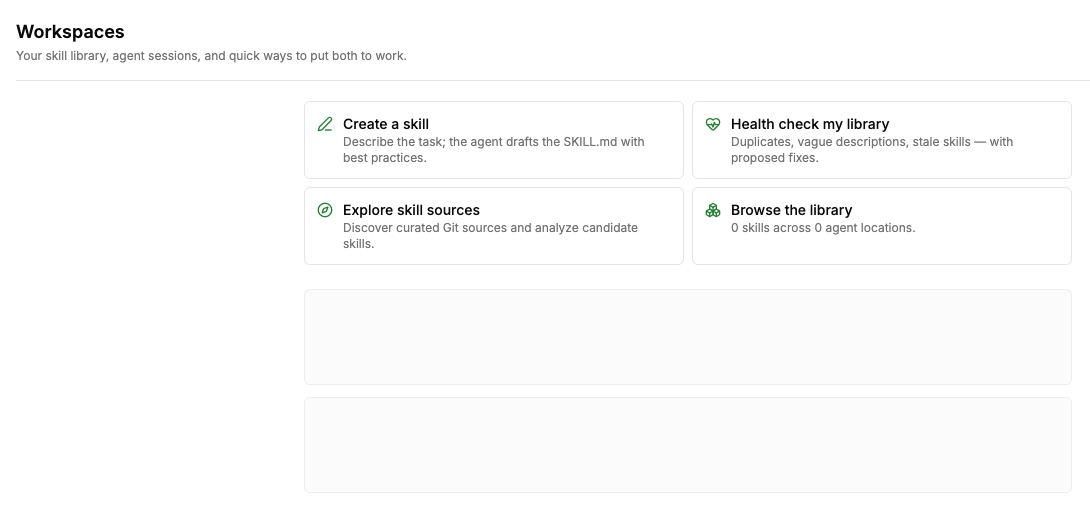
Workspaces is the home screen. It aggregates the Global Workspace (~, each agent's global skill roots) with manually imported workspaces, and every provider card lists the skill count, availability, and writability. Each skill can be inspected and validated, enabled or disabled, and outdated ones can be compared against the upstream lock hash and reinstalled on demand. Removing a workspace deletes only the registry entry, never the user's directory.
The four quick-action cards on the home screen (Create skill, Import workspace, Scan a repo, Discover sources) switch the agent panel to the matching mode with a seeded prompt.
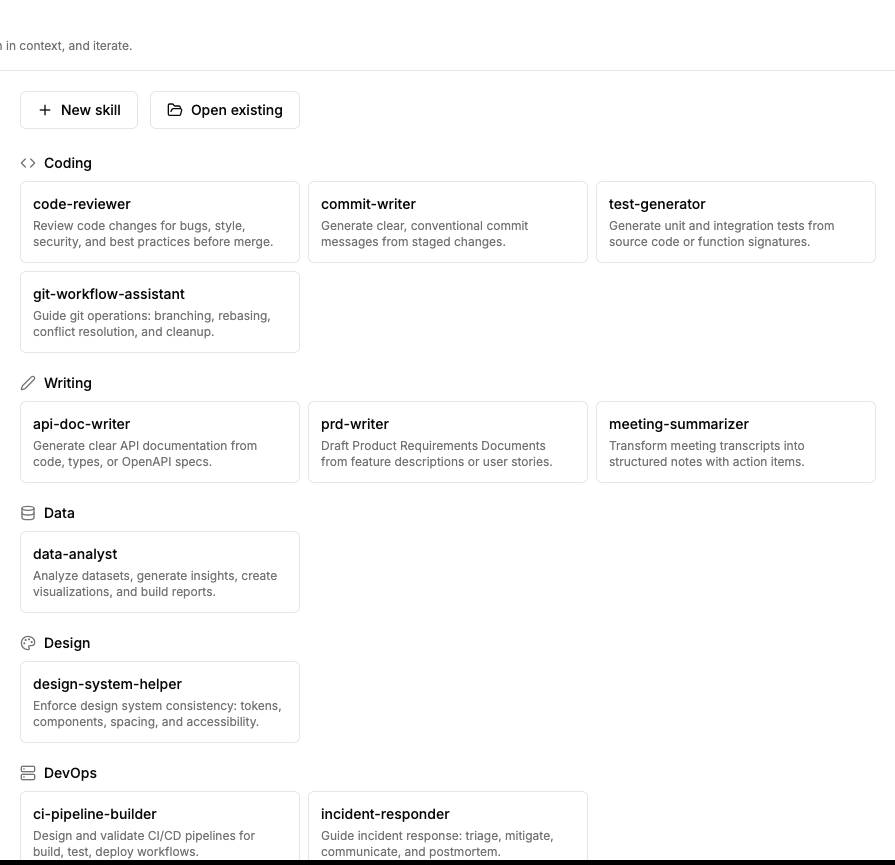
Creator is where you write. New skills are created inside an imported Workspace.Provider, or an existing SKILL.md loads for editing; saves and deletes carry a content revision check, writes based on stale content are rejected, and every revision lands in the change log.
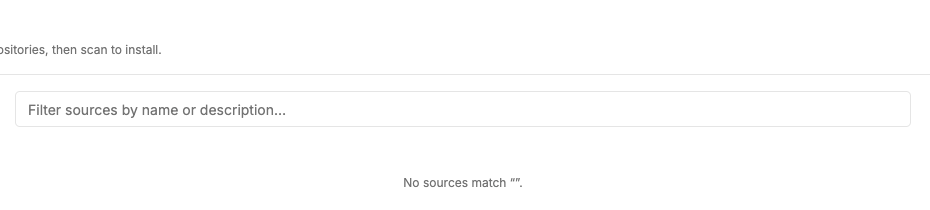
Repository is where you install. Enter an https Git source; the scan session pins one commit, and preview and install share the same temporary snapshot. Multiple imported Workspace.Provider targets can be selected, installs run and get verified per skill, and only verified results receive a local skill ID. The Discover page ships two built-in sources (Anthropic Skills and Vercel Labs Skills) and accepts your own Git URLs.
Security boundary
The server resolves workspace and provider to the real root before any mutation, the WebUI never assembles output paths, and install targets can only be imported writable Workspace.Providers, never ~.
Model configuration becomes route tabs and takes effect immediately
Every provider endpoint is a self-contained tab with identity icon, credential, model list, and remove button; adding from the catalog takes effect immediately, and duplicates number themselves (zai-2, Z.ai (1)). Adding a route or rotating a key applies immediately, with no kernel restart.
Per-model configuration covers six things: modelId completion runs across providers with namespace IDs filtered; the display name is generated automatically; reasoning efforts are tags (default low/high/max, with standard-tier completion); context window and max output tokens accept shorthands like 0.5M and 253k; input and output types default from models.dev; and one click tests connectivity across all nine protocols.
The redesigned agent panel shows remaining context
Assistant messages render full width and user messages right-align as bubbles; thinking, tool, and todo rows fold and expand; the context meter shows remaining room against the current model's capacity. The /compact menu compresses context manually, auto-compact fires when inputTokens >= contextWindow - maxOutputTokens, and the transcript gets a visible marker.
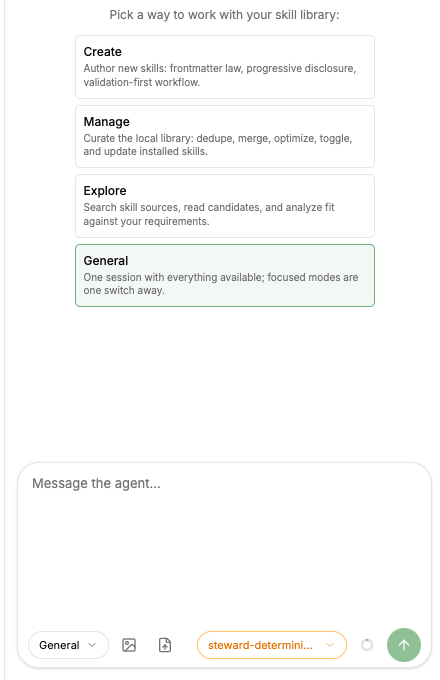
$ triggers skill-name completion, bringing a skill straight into the conversation. The panel resizes between 320-720px and becomes a drawer overlay on narrow screens; collapsing only hides it, the session survives, drafts stay isolated per session, and each role creates its session on first use. A new session starts from four mode cards: Create, Manage, Explore, General.
Attachments go through the OS-native file dialog
Attachment buttons wake the OS-native file dialog (daemon side, via @xmorse/rfd); real paths flow into prompt attachments with daemon-side size guards, and images get server-side thumbnail previews through jSquash.
2.0.1 fixes a blocking issue on macOS: the dialog never opened, the attach buttons gave no feedback, and only a restart recovered. Failures now surface a toast, and a second client requesting concurrently gets an explicit "dialog is already open" rejection. See the v2.0.1 changelog.
Why it never opened
The async dialog panics off the main thread in non-GUI host processes, leaving the RPC promise pending forever. 2.0.1 runs the synchronous dialog in a dedicated child process, which isolates the panic. A 10-minute watchdog backs it up.
Other changes
Session management moved into settings. Settings → Sessions lists sessions by date with per-row delete; kernel-only rows are marked and protected. The retention policy sessionCleanupDays defaults to 30 days and runs at daemon boot, plus a Clean-now action. Product transcripts only; $DSH_HOME kernel logs are never touched.
Kernel event gate: every DSH event passes a Zod safeParse at the daemon boundary; malformed payloads drop with bounded diagnostics and never pollute frame sequencing. Assistant reasoning is persisted and replays identically after restart.
Security surface: per the 2026-09-13 product decision, the settings view now returns the stored
providers[].apiKey(password-masked in the UI, eye-toggle reveal); the loopback-plus-token single-user local surface is unchanged, and run/audit payloads keep structural credential redaction.Fixes: credentials write to the kernel's v1
refslayout (flat top-level keys no longer break the next DSH boot); effort tags no longer delete themselves on click; composer focus-outline and blur-clear regressions.
Upgrading and breaking changes
There are three breaking changes.
Persisted state narrows on load. Unknown fields in
workspaces.jsonand the skill steward's internal stores are discarded per the no-compatibility policy; nothing is migrated or rewritten. Back up before upgrading if you need to roll back.cp -r ~/.skill-creator ~/.skill-creator.bakCLI and daemon versions must match; a mismatch replaces the daemon.
The Node.js minimum is 24.0.0 (kernel persistence uses
node:zlibzstd).
Breaking-change scope: exactly 1 commit in the range carries the ! marker (the feat! retiring the hosted DSH web composition); the three migration actions above come from the CHANGELOG's Breaking section.
Install and start:
npm install -g skill-creator@2.0.1
skill-creator start
macOS and Windows use the native window; Linux defaults to web mode (plain tray plus the system browser), and --web / --no-web override on any platform.
What's next
Roles as subagents with @-summoning are at the proposal stage with three design decisions pending; see the roles-as-subagents proposal.
Acknowledgements
Six independent review rounds (codex review agent) ended in a final PASS 9.6/10. DSH provides the kernel and the dsh-webui panel design grammar; @xmorse/rfd, jSquash, models.dev, and the ccski SDK are direct dependencies of this release's highlights.
Links
Changelog: GitHub Release v2.0.1 · v2.0.0 · compare v1.5.2...v2.0.1
Docs: README
Repository: github.com/jixoai/skill-creator
Feedback: GitHub Issues
Chinese version: /zh/blog/2026-09-15-skill-creator-v2-0-0/
